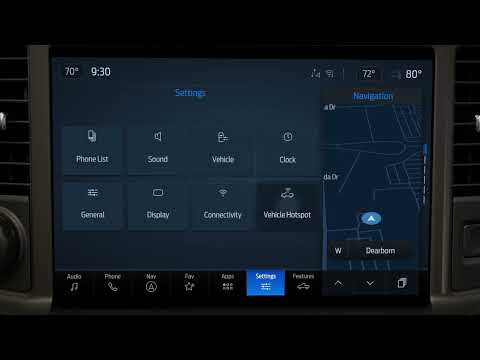
Subaru Forester/Hybrid | How-To Change the Display Brightness
Source: Subaru on YouTube · Official video, shared from the automaker’s own channel.
From the Channel
Turn down the screen brightness in your Subaru Forester to reduce glare on a night drive. Within settings select General, then Display, then Brightness/Contrast and adjust the brightness and contrast to your liking. You can also use the brightness dial on the lower left of the instrument panel. If the lowest setting is still too bright, select the Display Off button on the home screen to turn the screen off completely, then press and hold the volume knob to bring it back. Applies to model years: 2026, 2027 Find more owner resources here: Stay up to date on Subaru by following us on social:
More from Subaru

 Subaru | “A New Perspective” :30Subaru · 0 views · 13h ago
 Subaru Forester/Hybrid | How-To Use Auto Vehicle HoldSubaru · 0 views · 14h ago
 Subaru Forester/Hybrid | How-To Set Up Android AutoSubaru · 1 views · 14h ago
 Subaru Forester/Hybrid | How-To Change the ClockSubaru · 0 views · 14h ago
 Subaru Forester/Hybrid | How-To Use the Climate ControlsSubaru · 0 views · 14h ago
 Subaru Forester/Hybrid | How-To Use DriverFocusSubaru · 0 views · 14h ago