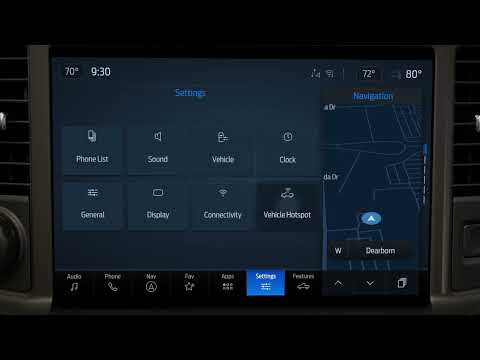
Subaru Forester/Hybrid | How-To Change the Clock
Source: Subaru on YouTube · Official video, shared from the automaker’s own channel.
From the Channel
Before you head out, make sure the touchscreen clock in your Subaru Forester is set correctly. There are two ways to get to the clock settings: tap the time display from almost any screen, or open the settings menu and navigate to clock. Use the arrow keys to set the time manually and touch OK to save, or choose the option to set the time automatically. Applies to model years: 2026, 2027 Find more owner resources here: Stay up to date on Subaru by following us on social:
More from Subaru

 Subaru | “A New Perspective” :30Subaru · 0 views · 13h ago
 Subaru Forester/Hybrid | How-To Use Auto Vehicle HoldSubaru · 0 views · 14h ago
 Subaru Forester/Hybrid | How-To Set Up Android AutoSubaru · 1 views · 14h ago
 Subaru Forester/Hybrid | How-To Use the Climate ControlsSubaru · 0 views · 14h ago
 Subaru Forester/Hybrid | How-To Change the Display BrightnessSubaru · 0 views · 14h ago
 Subaru Forester/Hybrid | How-To Use DriverFocusSubaru · 0 views · 14h ago